
2026-10-12
The chat asks its questions all at once, and you can fork any system to try your own version of it, on the same dice.
Questions on one form
When the AI needs to know a few things before it writes your ticket, it now asks them together on one form, instead of one message at a time. Answer them all, then tap Submit.
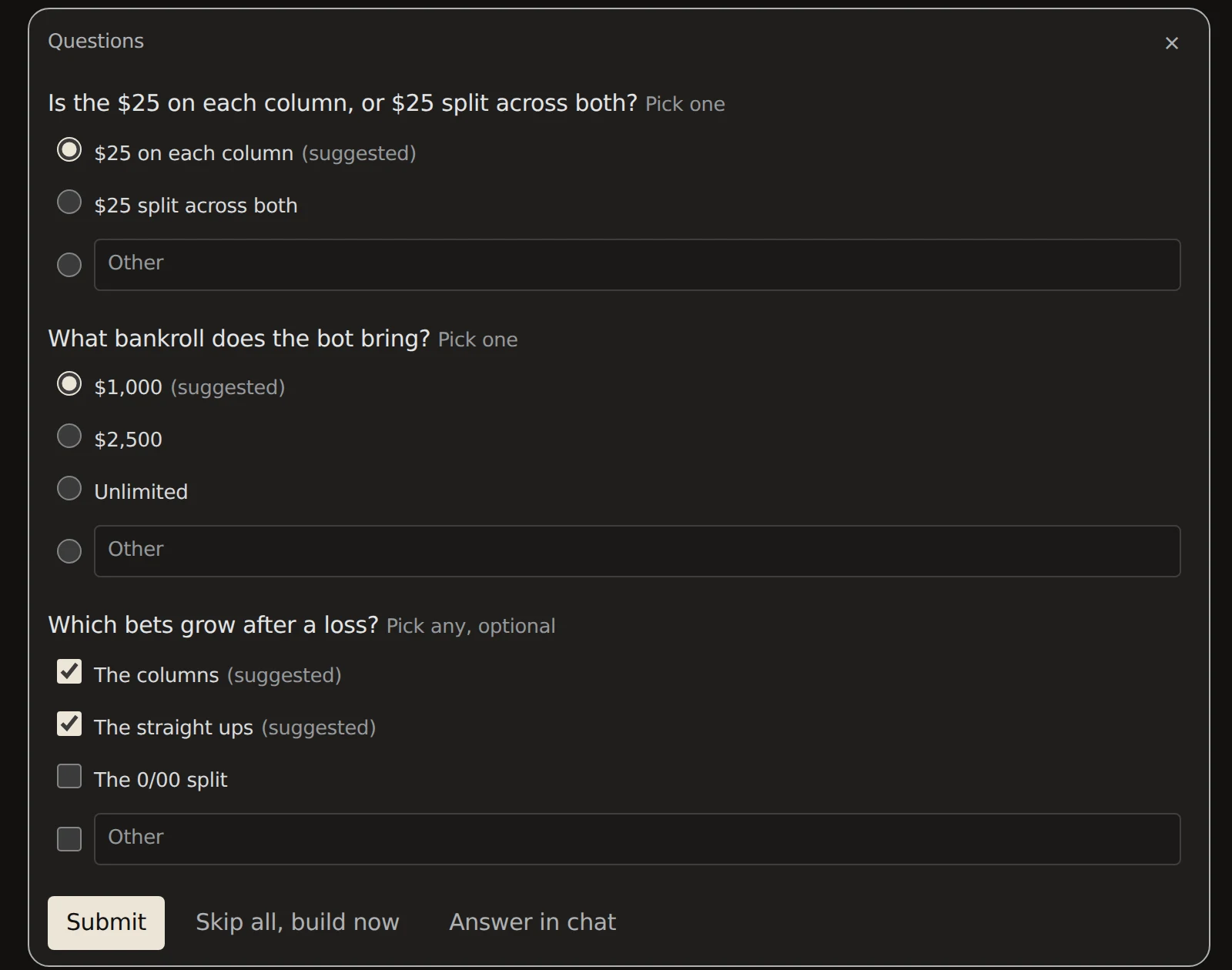
- Suggested answers are already picked. If they're right, just tap Submit.
- Other on every question takes your own words.
- Some questions let you pick more than one, and some are optional.
- Skip all, build now builds straight away, and the ticket lists what it assumed.
- Answer in chat closes the form so you can type your reply instead.
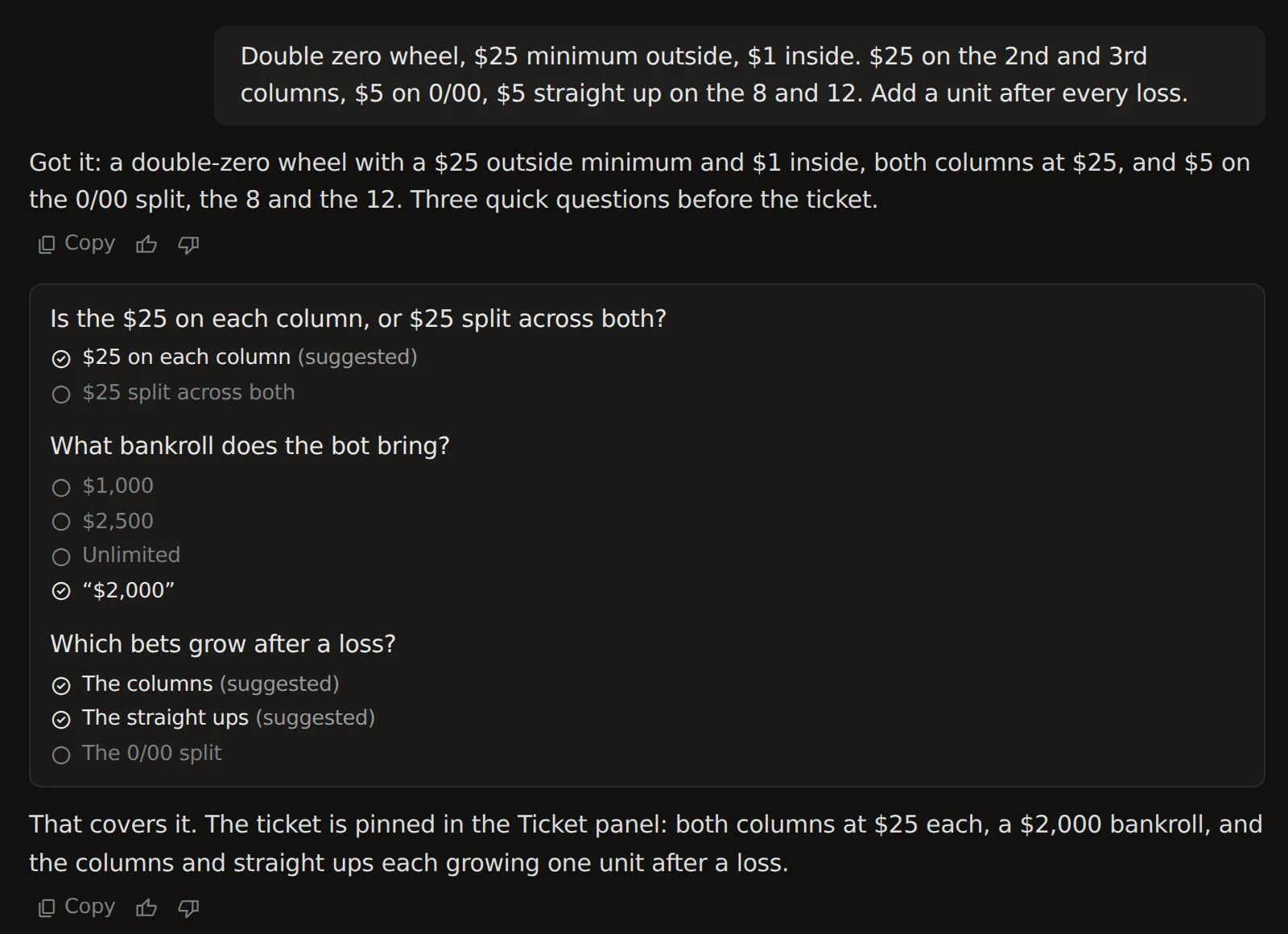
After you submit, the form stays in the chat as a card with your answers, so you can always see what you picked and what the other choices were.
Fork a system
Tap Fork on one of your runs, in the run view or on My Runs, or on a system in the vault. You get a new chat with a copy of the system, named after it with "(fork)" on the end. The original stays as it was.
The fork opens ready to go:
- Already built. The ticket and the code come with it, so Test Drive works right away. No rebuild.
- A short opening line says what the fork holds, and the ticket panel opens beside the chat.
- Say what to change. The AI reads the code first, then changes only what you ask.
Same dice as the original
A fork plays the original's dice. When you change something and run it, the difference in the results comes from your change, not from different luck.
A vault system with no dice on record gets fresh dice, and the chat says so.
Run 100k Bots waits until you change something, since an unchanged fork would repeat the original's run.
See where each chat stands
Your chat list now marks how far each chat got. A play mark means the system is built and ready to try. A filled check means a run has finished and its results are in the vault.
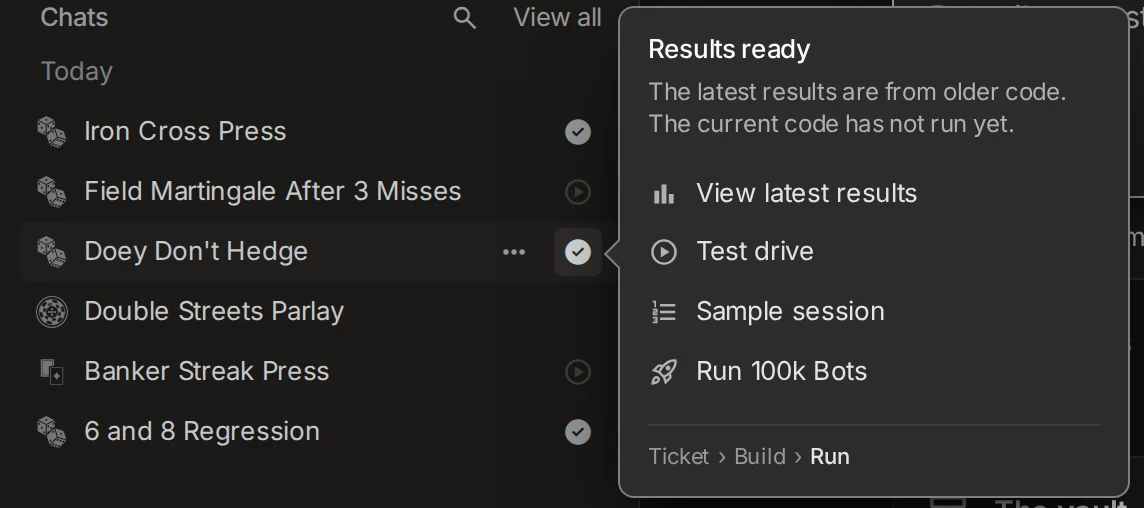
Hover the mark, or tap it, to see what's next and go straight there: Test drive, the sample session, Run 100k Bots, or the latest results. If you changed the code after the last run, it says the results are from older code, so you know to run it again.
Rename a chat from its title
Click the chat's title at the top of the chat, type the new name, and press Enter. The chat list follows.
Fixed
- Changes to a built system build on the first tap. Ask for a change and the build starts right away.
- Roulette tables with an inside and an outside minimum. Tell the chat "$25 minimum outside, $1 inside" and it takes the table as written.
- Bets sized from the bankroll count the chips on the table. When a system bets a share of its bankroll, goes all in, or drops back under a floor, the bankroll is the rack plus the bets already up. A bot with $844 in the rack and $890 riding has $1,734 to size from, not $844.
- "Win it back" bets cover the vig. Ask for a lay or a buy sized to win back a set amount, and the bet is sized so the win, after the vig, covers it. Winning back $85 on the 9 is a $135 lay: it wins $90, pays $4 vig, and nets $86.
Also in this release
Assorted bug fixes and enhancements.