
2026-10-11
You can now tell Studio how the dice should roll, and watch your system play it.
Call the dice
Until now, checking a rare moment meant playing Test Drive and hoping it showed up: a press reaching its cap, three seven-outs in a row, the stop loss. Now you name the moment, and your system plays it.
Ask in the chat, in table words. The AI writes the dice, plays your system on them, and adds a Sample session card. Open it to read every roll: each bet placed, pressed, won, and lost, and the bankroll after each one.
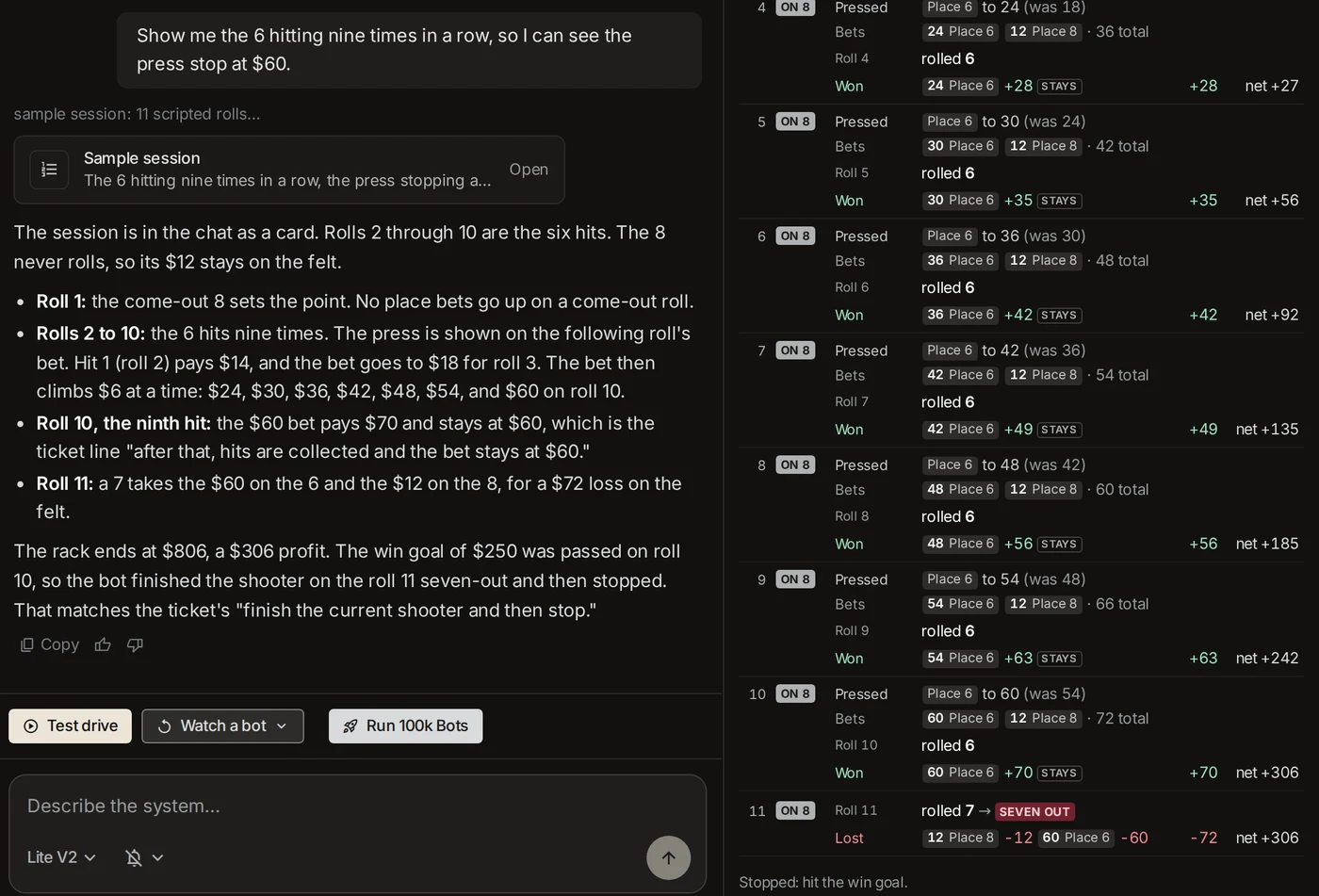
The AI answers from the session it played: which rolls, what the bot did, and the ticket line it checked.
Try these:
- Presses and caps: "Show me the 6 hitting nine times in a row, so I can see the press stop at $60."
- Losing streaks: "Show me three seven-outs in a row." "What happens after three losses?"
- Stops: "Show me the win goal being hit." "Show me the stop loss."
- Roulette: "Show me ten reds in a row."
- Baccarat: "Show me Banker winning five hands, then a Tie."
- Fresh dice: "Run another one."
If a session misses what you asked for, the chat says so and plays one that reaches it.
Fix it, then run it again
See something you want changed? Tell the AI, and it rebuilds. Then say "Run that one again": the same dice on the new code, as a new card, so you can see the fix on the exact rolls that showed the problem.
Every session keeps its own card. Scroll back to reopen any of them, or ask about one any time ("what happened on roll 10?").
A sample session with every build
When a build finishes, it plays its own sample session: the first 20 rolls, spins, or hands on real dice. The AI reads it against your ticket and leaves a note on any round where the bot did something your ticket doesn't say. Here the ticket says the place bets never go up on a come-out roll, and the note shows the bot pressing the 6 on one.
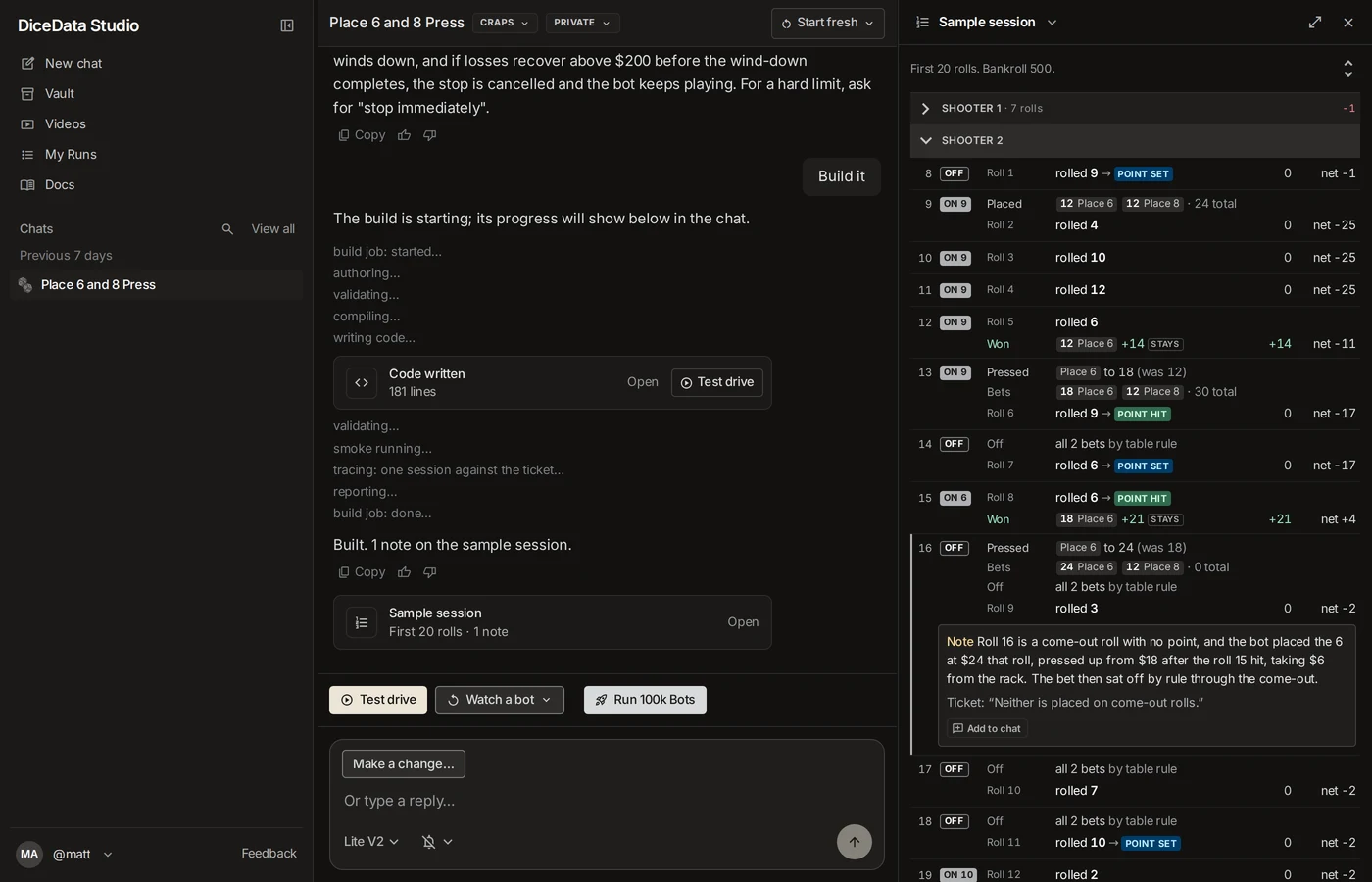
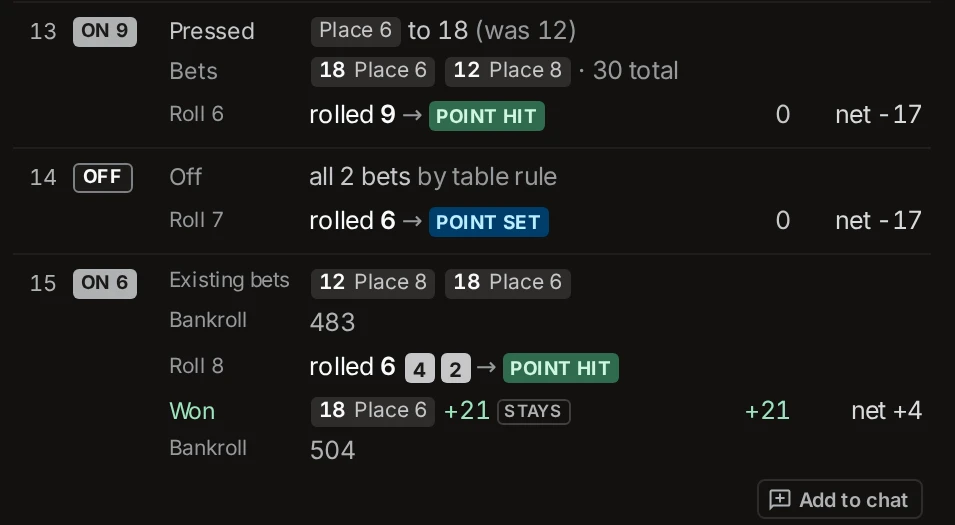
A session reads at three levels. Shooters start folded, each one line with its roll count and net. Tap a shooter to see its rolls, one line each: the bets, the roll, what won and lost, and the net. Tap a roll to open it: the dice, the bets already up, and the bankroll before and after. The button at the top of the session steps through all three at once. Roulette spins and baccarat hands have no shooters, so they start at the second level.
Systems with more than one variant get a tab for each, all on the same dice. The session also lists any ticket rules it never reached, such as a win goal that 20 rolls didn't get to. Ask for a session that reaches them.
The build's session comes with craps builds on Lite V2, the default model, and with every roulette and baccarat build.
Add to chat
Every round has an Add to chat button. Tap a round to open it, and the button is under it. On a round with a note, it sits in the note. The round goes into the chat box as a chip. Type your question and send.
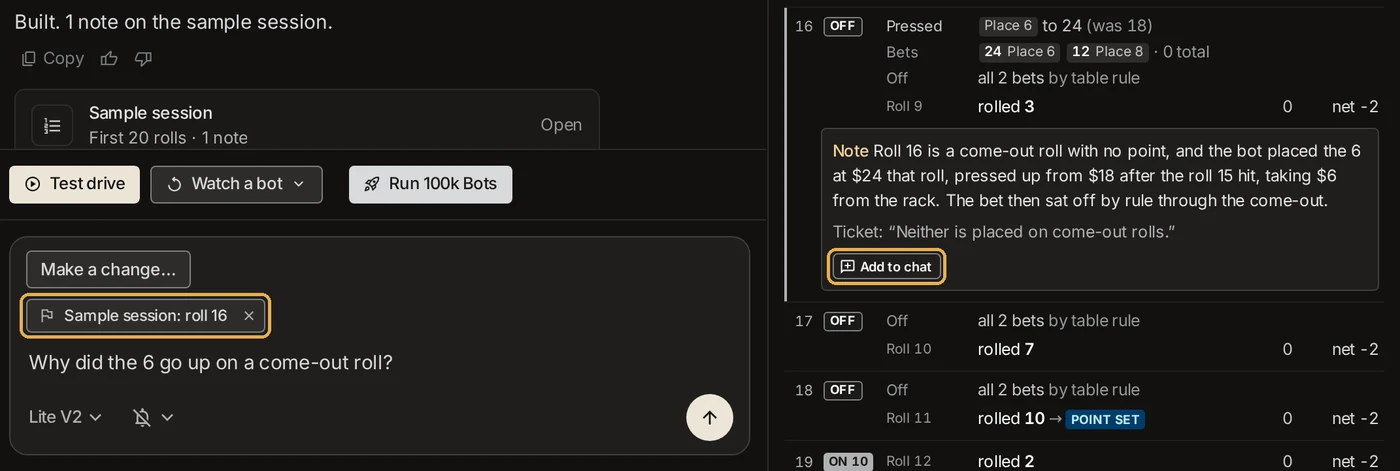
The AI sees the whole round, with its note and ticket line if it has one. What you say next decides what happens:
- The bot got it wrong. Say what it should have done: "Don't press on the come-out. Wait for the next point." The AI updates the ticket and rebuilds.
- The bot got it right. Say "That's right." The AI adds the rule to your ticket, so the next build won't flag it again.
- You're not sure. Ask. "Why did the 6 go up here?" The AI walks through the round and quotes the ticket line it checked.
Builds in more than one chat
Every plan can now build in several chats at the same time. Each chat still does one thing at a time: one reply, one build, or one run. Start a system in one chat while another one builds.
Also in this release
Assorted bug fixes and enhancements.